FapCraft AI Builder | Create Characters, Generate Mod Code & Customize Your Game
Minecraft gives players the freedom to build worlds, explore new places, and create their own adventures. Mods make that experience even more interesting by adding new characters, items, abilities, and gameplay features.
FapCraft offers its own collection of characters, including Jenny, Allie, Luna, and Galath. If you enjoy experimenting with mods, you might eventually want to create something of your own instead of relying on existing content.
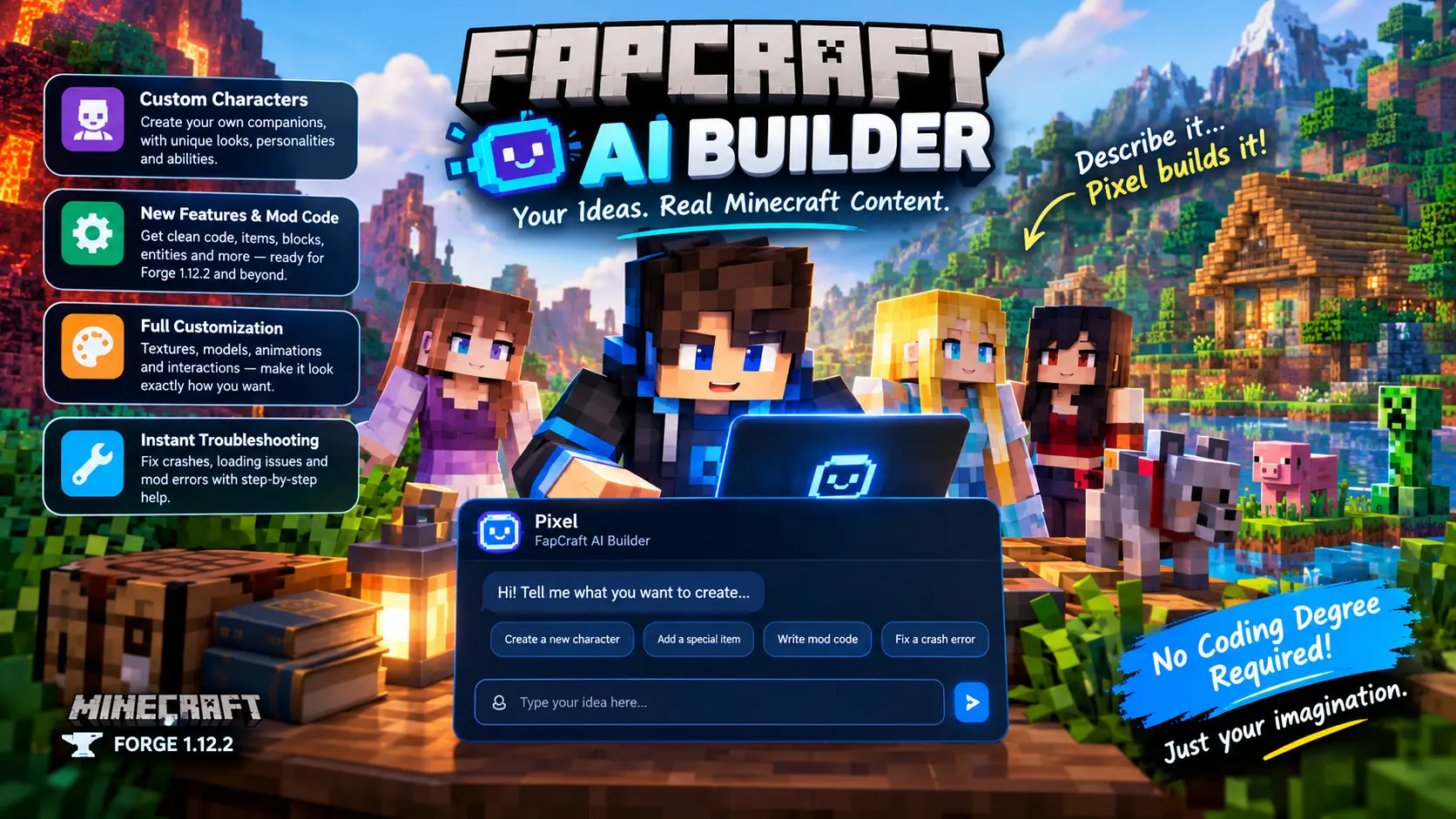
That is where Pixel, the FapCraft AI Builder, comes in. It is designed to help players turn their ideas into character concepts, Java code, customization instructions, and troubleshooting steps. Even if you have little experience with coding, you can use it to learn the basics and start working on your own mod projects.
What Is the FapCraft AI Builder?
The FapCraft AI Builder is an AI assistant designed to help FapCraft players explore custom content creation. You can describe a character, explain a feature you want to add, or ask for help with a modding problem. Pixel can then provide suggestions, sample code, and instructions based on your request.
For example, imagine you want to create a character who lives in a snowy village, uses ice magic, and gives players special quests. Instead of trying to figure out every technical detail at once, you can start by describing the character and develop the idea step by step.
Pixel can help organize your concept, suggest suitable abilities, draft dialogue, and provide code examples for supported modding environments.
It is important to understand that AI generated code may need adjustments before it works in your game. You should review and test the output rather than assuming every feature will work immediately.
What Can You Create With Pixel?
Fapcraft uses a combination of custom game assets to change the standard Minecraft experience. These can include textures, resource packs, character models, animations, addons, and configuration files, depending on the version being used. Together, these components control how the mod’s custom content looks and works inside the game.
Design Your Own Minecraft Characters
Existing characters can provide inspiration, but creating your own gives you more room to experiment. You can describe a character’s appearance, personality, abilities, location, and role in the game.
For example, you could create a friendly forest guardian who protects nearby animals, a mysterious traveler who appears at night, or a powerful mage who helps players complete difficult quests.
Pixel can help you develop a character profile that includes:
Once the character design is ready, you can ask for a technical plan to bring it into your mod project. The exact steps will depend on your existing mod setup and the tools you use.
Add New Features and Abilities
Sometimes a small gameplay change can make a mod feel completely different. Perhaps you want an item that creates a temporary shield, a character who offers useful rewards, or a hidden area that players can discover after completing a quest.
Pixel can help turn these ideas into smaller development tasks and generate example Java code for supported Minecraft Forge environments.
Possible projects include:
When requesting code, explain what the feature should do, when it should activate, and what the player should see. These details help produce a more useful starting point.
Customize Models, Textures, and Interactions
A new character or item needs more than a name. Its appearance, animations, and interactions also influence how it fits into the game.
Pixel can help you plan these elements and explain which assets or configuration files may need changes. You can ask for ideas for a character’s color palette, texture design, model structure, or interaction behavior.
For instance, if you want to create a small fire creature, you could ask for a texture concept, a list of required assets, and suggestions for its movement and abilities.
Keep in mind that generating a texture description is different from creating a finished texture file. You may still need an image editor, model editor, or other modding tool to prepare the actual assets.
Troubleshoot Common Modding Problems
Modding can become frustrating when a project stops working. A missing dependency, incorrect file path, incompatible method, or malformed configuration can prevent a mod from loading properly.
Instead of searching through unrelated tutorials, you can ask Pixel to help investigate the problem.
For better results, provide:
If the game crashes during startup, sharing the relevant section of the crash report can help identify possible causes. Remove any personal information before sharing logs.
Pixel can explain what an error means, suggest potential fixes, and help you check whether the code matches your development environment. However, a suggested fix should always be tested because similar errors can have different causes.
How to Use the FapCraft AI Builder?
Getting started is easier when you work on one feature at a time. Follow these steps to make your first request more useful.
Step 1: Open the Builder
Find the FapCraft AI Builder section on the page and open the chat interface. If quick prompts are available, you can select one to get started. Otherwise, type your own request.
Step 2: Describe Your Idea Clearly
Explain what you want to create. Rather than writing something general like “make a new character,” provide details about its appearance, behavior, abilities, and purpose.
For example:
“I want to create a friendly ice mage who lives in a frozen cave. She can slow nearby enemies and give players a quest. Help me design her character profile and explain how I could implement her in Forge 1.12.2.”
Step 3: Review the Suggestions
Pixel may ask follow up questions about your idea or provide a character design, code example, or implementation guide. Read the response carefully and ask for clarification if anything is unclear.
If you are new to Java, request an explanation of the important code sections before adding them to your project.
Step 4: Copy and Organize the Output
Save the generated code, character details, and instructions in the appropriate project files. Check file names, package declarations, dependencies, and registration requirements before compiling.
Do not replace existing project files without making a backup first.
Step 5: Test Your Changes
Use a separate development environment that matches your target Minecraft and Forge versions. Build the project, launch the game, and test the feature in different situations.
If an error appears, share the relevant message with Pixel and work through the suggested fixes. Testing after each change makes it easier to identify what went wrong.
Tips for Getting Better Results From Pixel
The quality of the instructions you provide can make a noticeable difference in the output. These simple practices can help you get more useful answers.
Be specific about the result. Describe what the character or feature should do rather than giving only a broad idea.
Mention your development environment. State whether you are working with Minecraft Java Edition, Forge 1.12.2, or a Bedrock add on project. These environments use different tools and code.
Start with a small feature. Build a basic character or item first. Once it works, add more complicated behavior.
Ask for explanations. If you do not understand a method or configuration setting, ask Pixel to explain it in plain English.
Include the full error context. When troubleshooting, provide the relevant error message and explain what you were doing when it appeared.
Test before sharing. AI generated examples are useful starting points, but they can contain mistakes or require changes for your specific project.
Final Words
Creating Minecraft content can be rewarding, especially when you move beyond playing with existing features and start developing your own ideas. The FapCraft AI Builder aims to make that process easier by helping you plan characters, explore new gameplay mechanics, understand code, and investigate common errors.
Pixel is best treated as a development assistant rather than a tool that guarantees a finished mod with one prompt. Start with a clear idea, build one feature at a time, and test each change in the right environment.
With a little patience and experimentation, you can use AI assistance to learn more about modding and bring your own ideas closer to a working Minecraft project.
![Fapcraft for PC Download Latest Version 2026 [Free]](https://fapcraftmod.com/wp-content/uploads/2026/10/Fapcraft-for-PC-Download-Latest-Version-768x432.webp)
![Fapcraft for iOS Download Latest Version 2026 [iPhone & iPad]](https://fapcraftmod.com/wp-content/uploads/2026/10/Fapcraft-for-iOS-Download-Latest-Version-iPhone-iPad-768x432.webp)